Coffee Break.
A clearer way to order ahead.
An independent course project exploring how a coffee-ordering experience could help busy customers spend less time waiting and feel more certain about pickup.
- Role
- UX research & product design (solo course project)
- Timeline
- July 2026 – ongoing
- Context
- Google UX Design Certificate
- Methods
- Research · Journey mapping · Wireframes · Usability testing · UI design
Coffee should fit into the morning, not interrupt it.
This concept explores a familiar friction point: ordering coffee can involve extra steps, waiting, and uncertainty about when a drink will be ready. The opportunity was to explore an order-ahead flow that makes choosing, ordering, and pickup feel clearer.
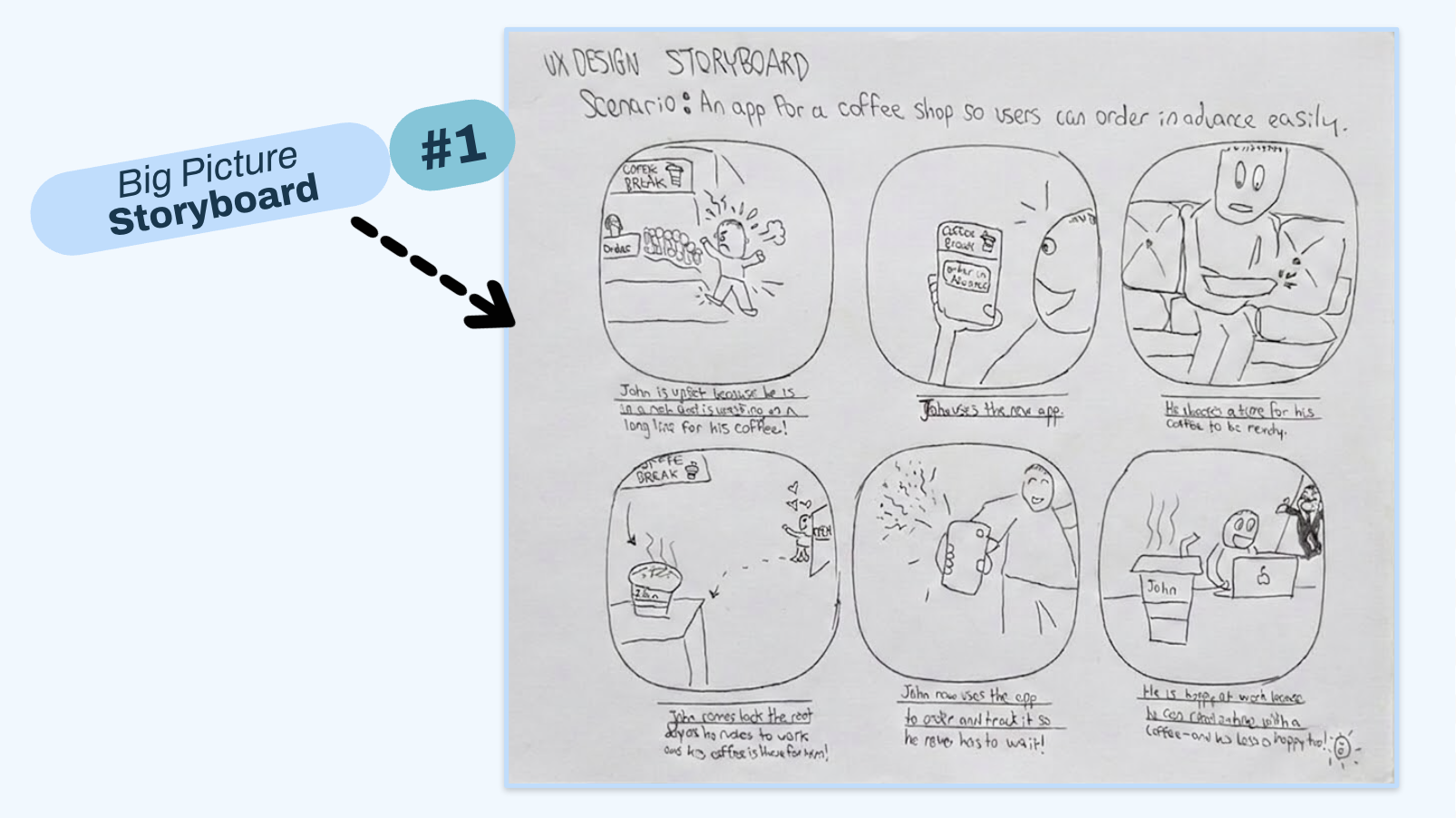
Start with the moments that create friction.
I used an initial research exercise with four participants aged 18–60, then mapped the coffee-ordering journey to examine ordering, payment, and pickup. The work highlighted three themes to explore: convenience, timing, and uncertainty at pickup.
Time matters
Phone or in-store ordering can add effort to a busy morning.
Pickup needs clarity
Customers need a clearer sense of when their order will be ready.
The flow should feel simple
The concept should make choosing a drink and moving through checkout straightforward.
Make the next step obvious.
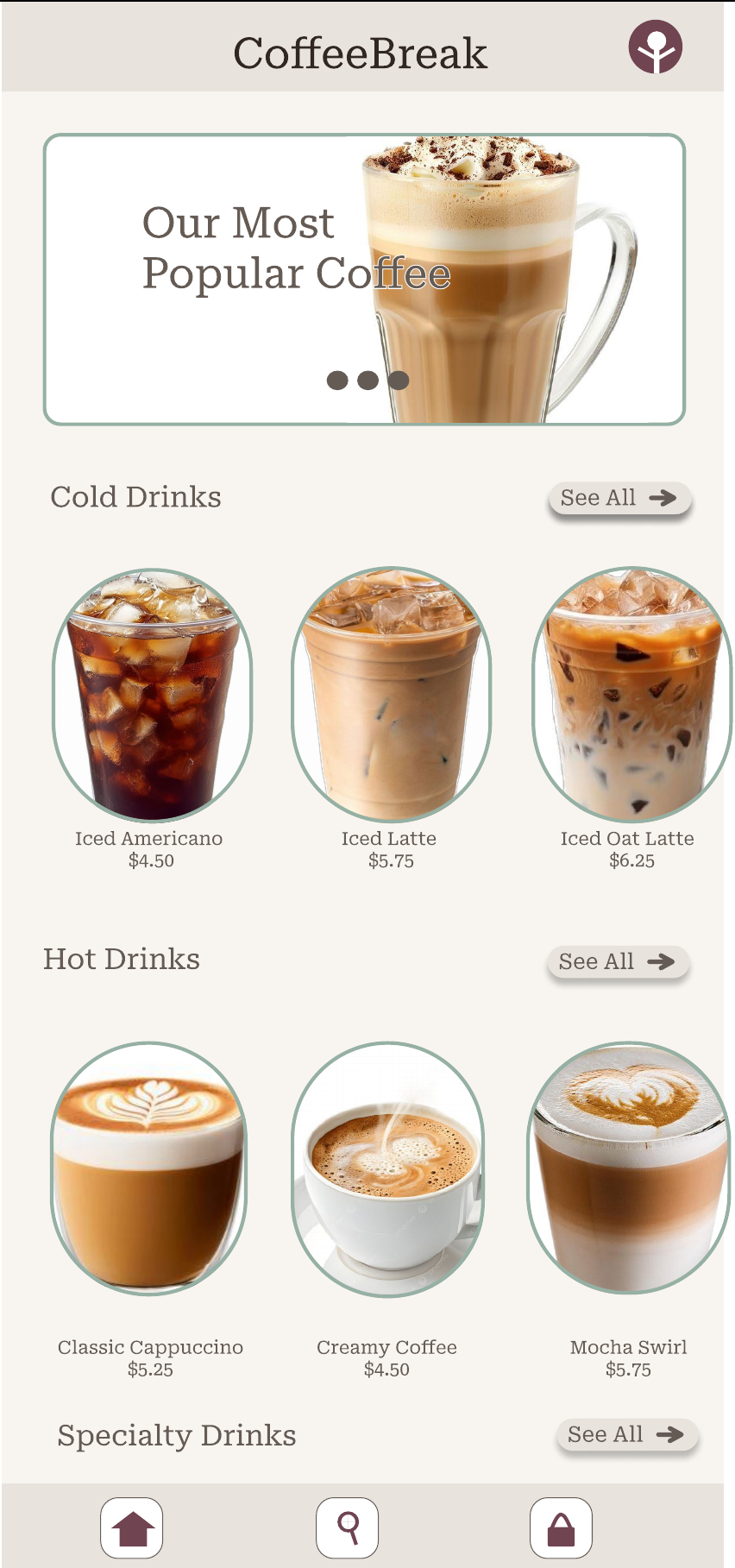
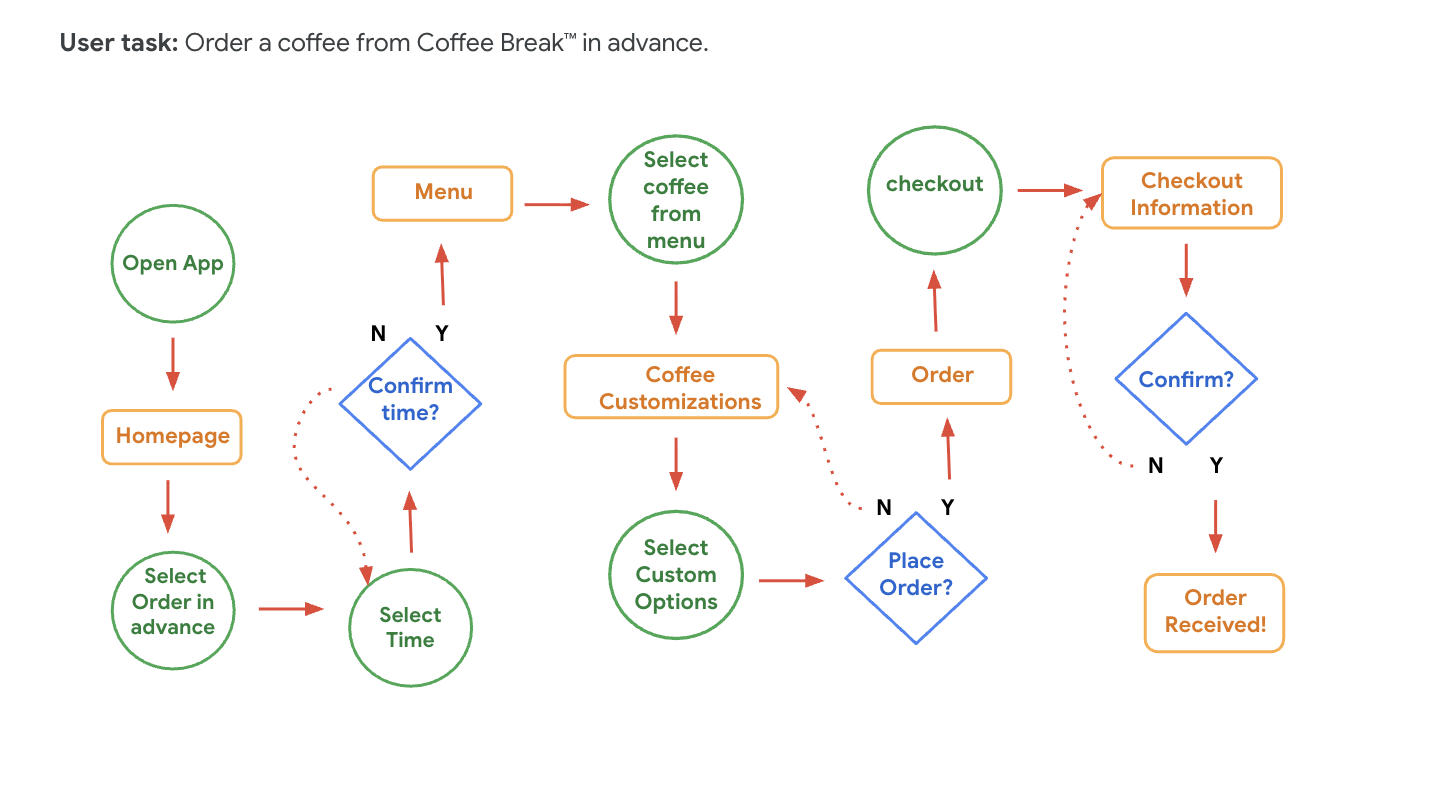
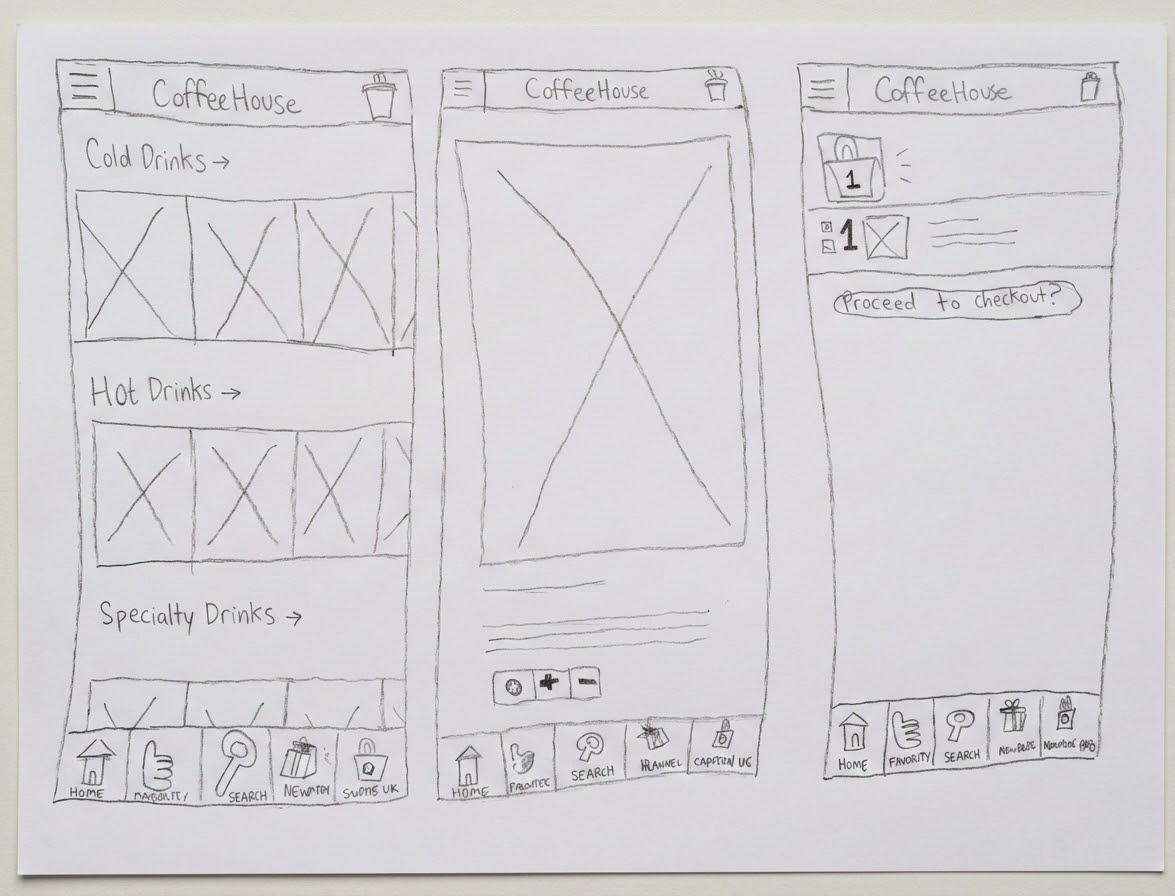
I translated the journey into a task flow, paper sketches, and low-fidelity wireframes before refining the interface. The menu gives customers a direct starting point; the product screen keeps customization and the add-to-bag action together; and the flow connects menu, cart, checkout, and confirmation.
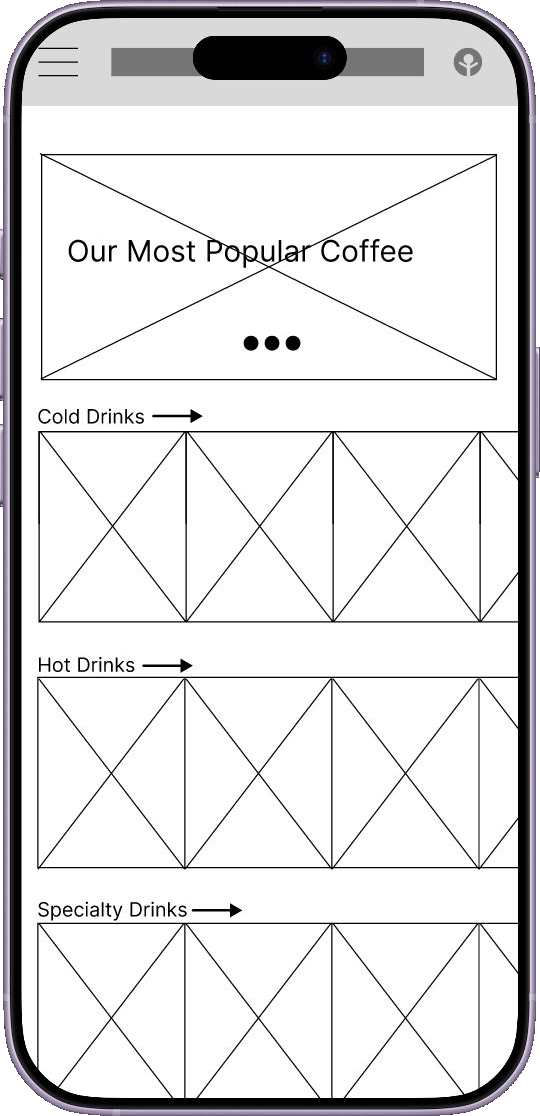
A direct starting point
Popular drinks and clear categories were intended to reduce the effort of choosing.
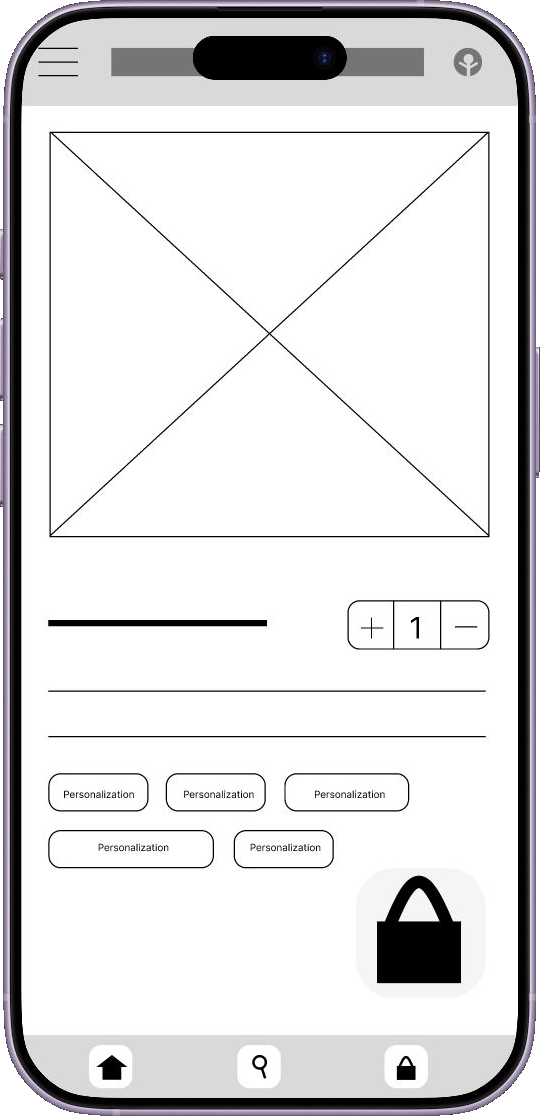
Decide in one place
Keeping quantity and add-to-bag together was meant to avoid extra steps toward checkout.
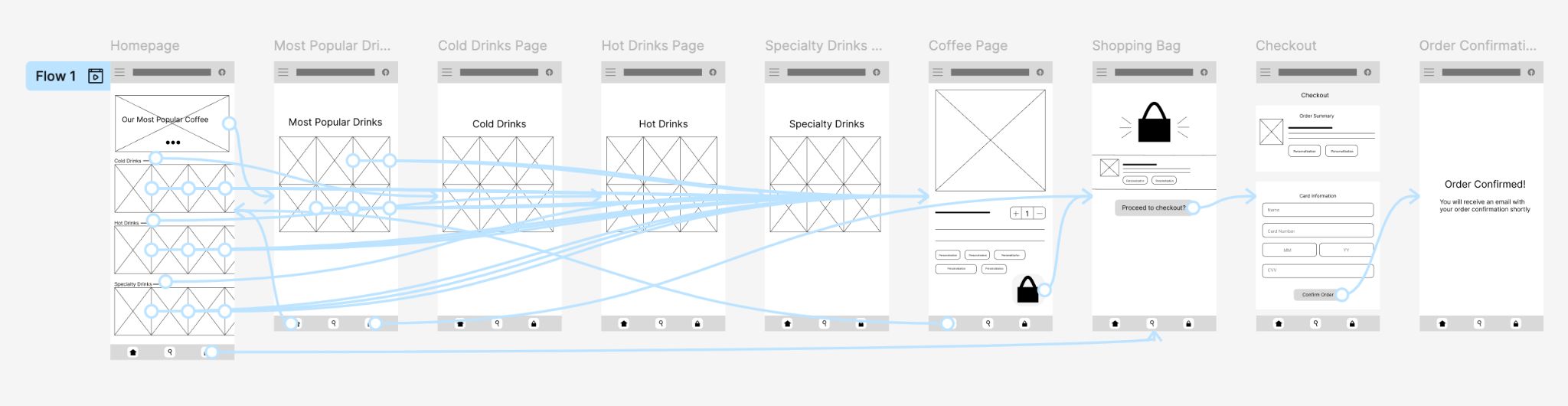
Two sessions surfaced three clear usability issues.
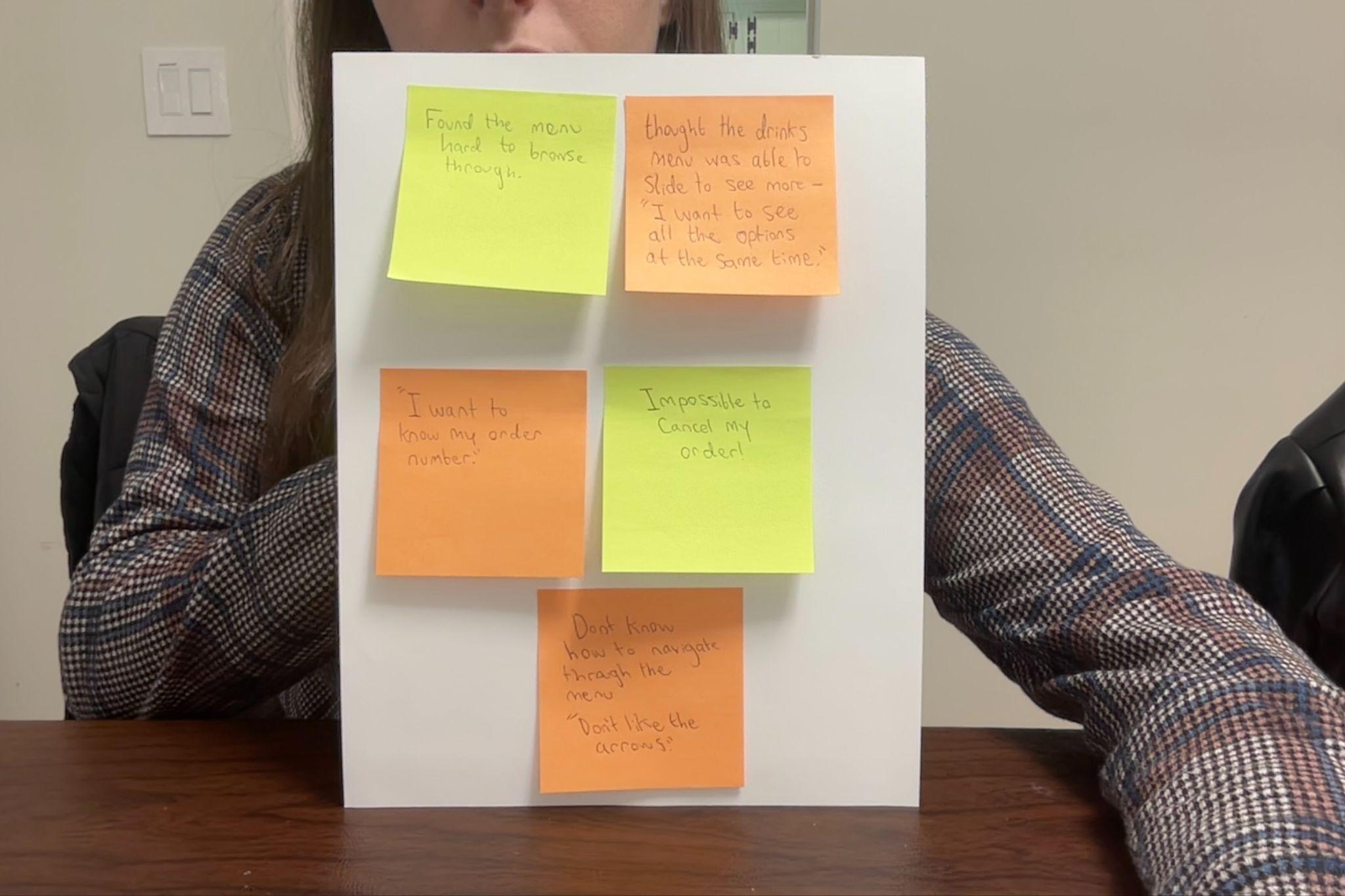
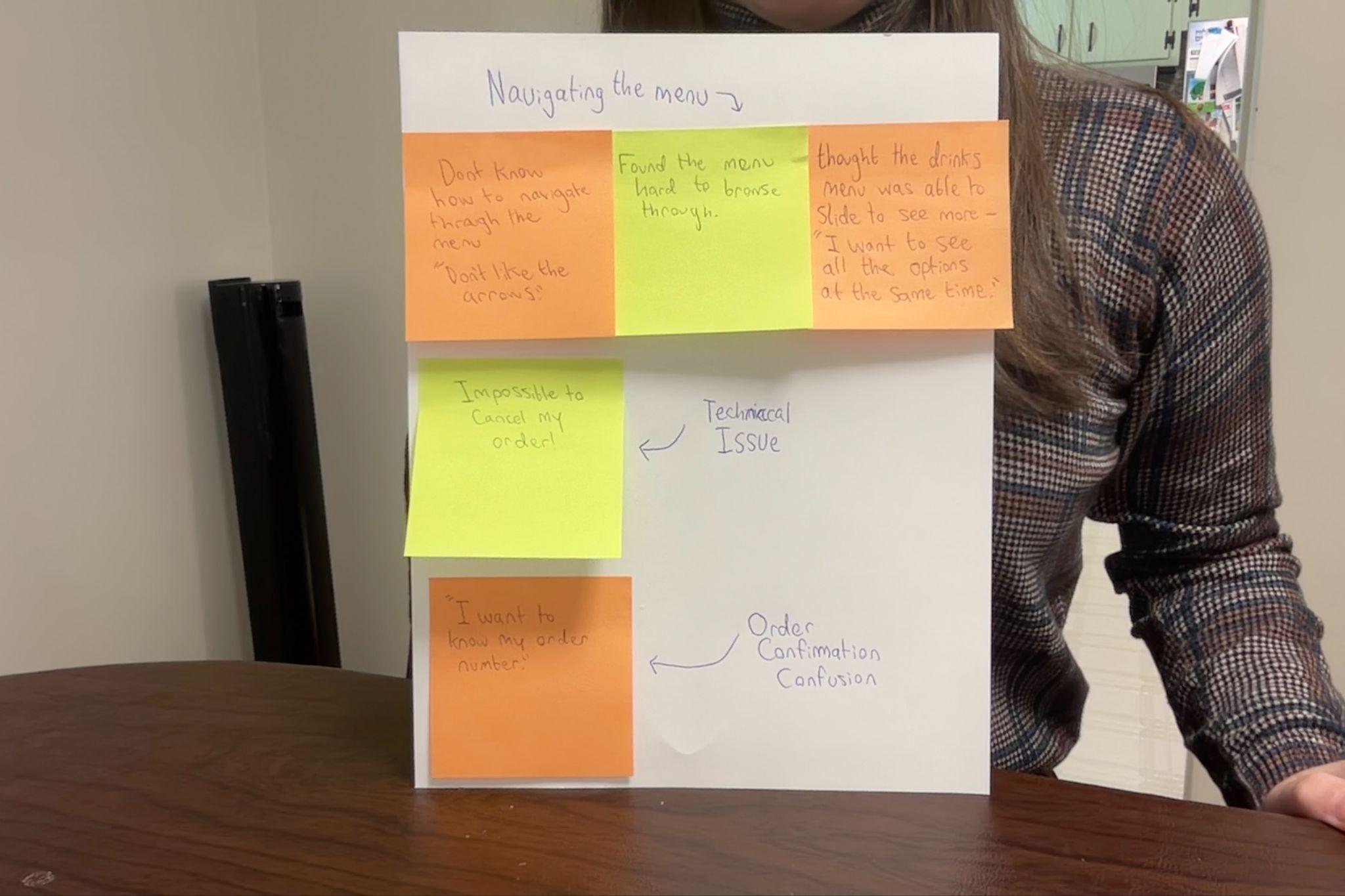
I ran a moderated remote usability study with two participants in September 2026. They worked through the low-fidelity prototype while thinking aloud. I organized observations and quotes in an affinity diagram to look for patterns. With two participants, these findings are directional rather than representative, and the study did not measure quantitative impact.
- 1
The menu didn’t behave as expected.
- Observed
- Both participants tried to slide the menu. “I want to be able to see all the options at the same time.” — Participant B
- Design response
- Update the menu rows so customers can browse more options horizontally.
- 2
Order cancellation wasn’t clear.
- Observed
- Both participants looked for a way to cancel their order.
- Design response
- Add a Cancel Order action and a confirmation step.
- 3
Pickup information was incomplete.
- Observed
- A participant asked for an order number: “Wait, it doesn’t tell me my order number.”
- Design response
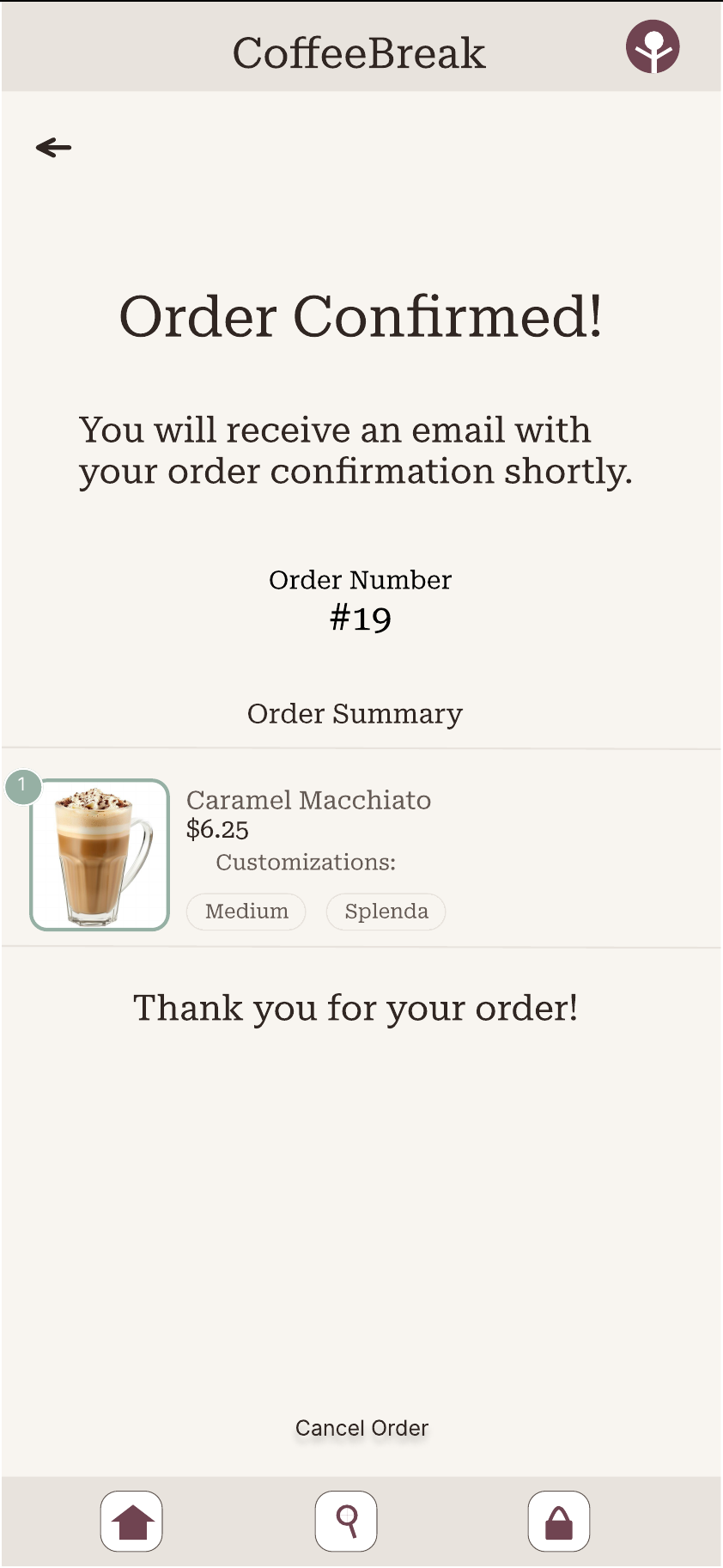
- Show an order number on the confirmation screen.
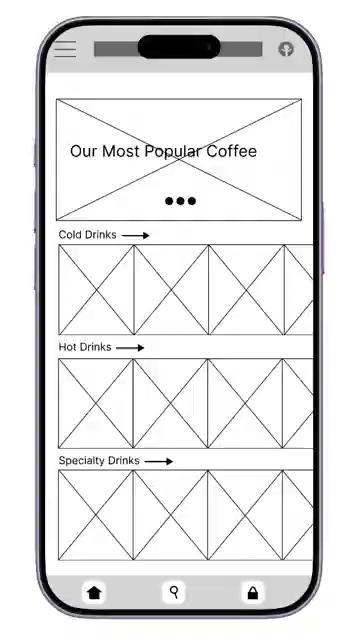
Revised: sliding menu rows
Response to finding 1. Not yet retested.
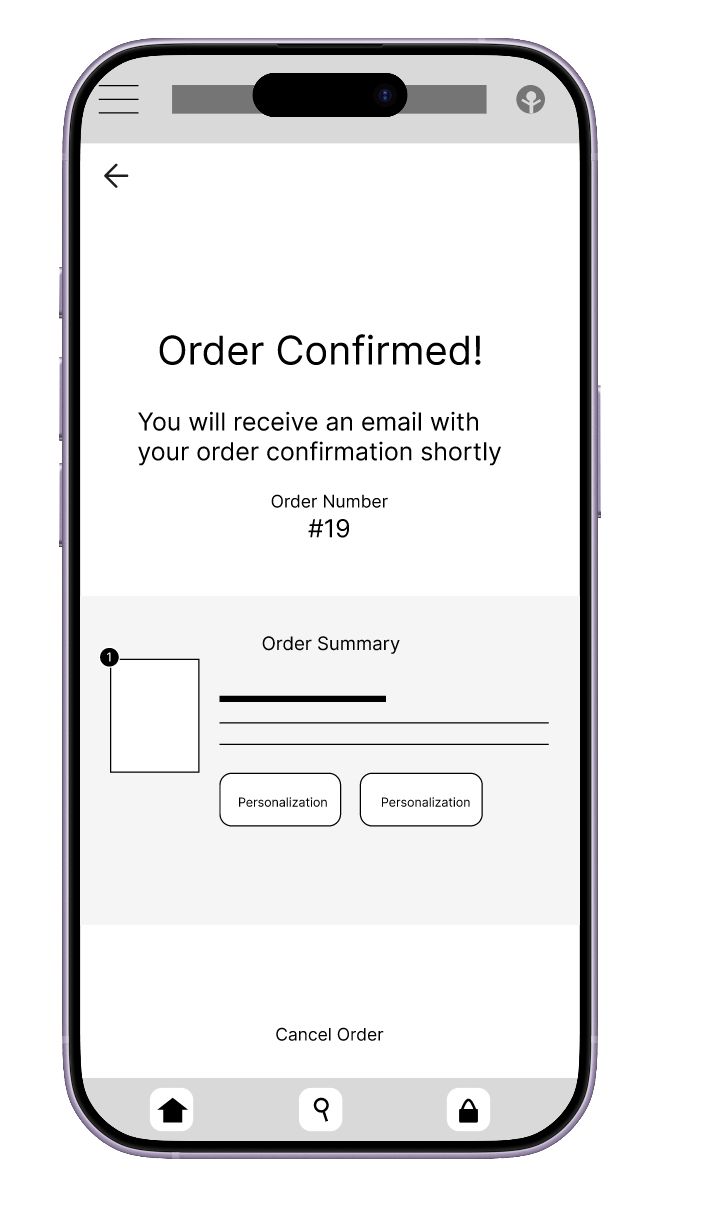
Revised: order number and cancel
Response to findings 2 and 3. Not yet retested.
Warm, consistent, and built around the order.
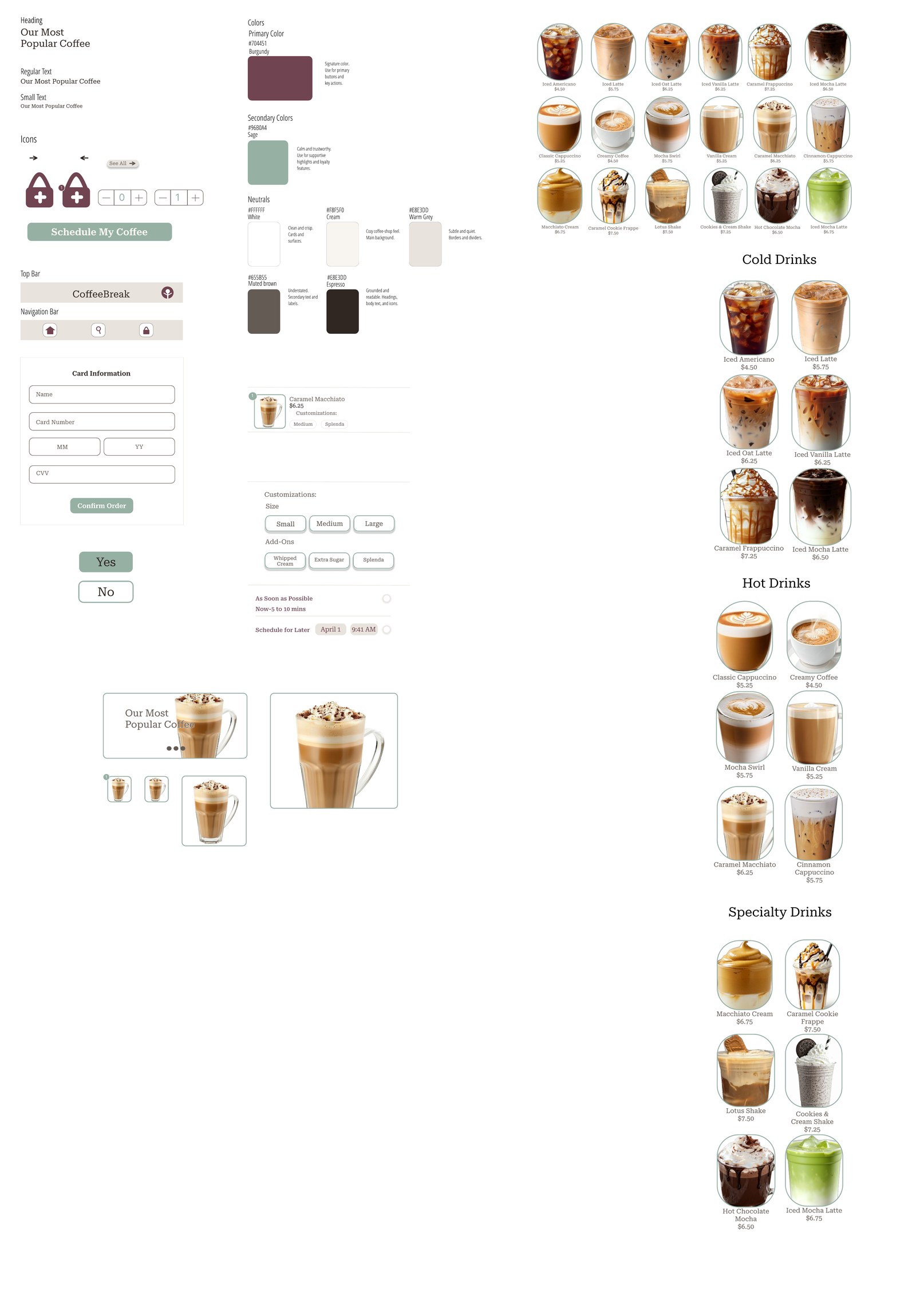
I developed a reusable visual system for the high-fidelity concept, using burgundy for primary actions, sage for supporting accents, and warm neutrals to keep attention on the drinks and ordering flow. Reusable type styles, buttons, navigation, and selection components help the screens feel consistent.
- Burgundy#704451
- Sage#96B0A4
- Caramel#C58B43
- Cream#F8F5F0
- Warm gray#E8E3DD
- Muted brown#655B55
- Espresso#302622
Browse
Popular drinks first, with sliding category rows.
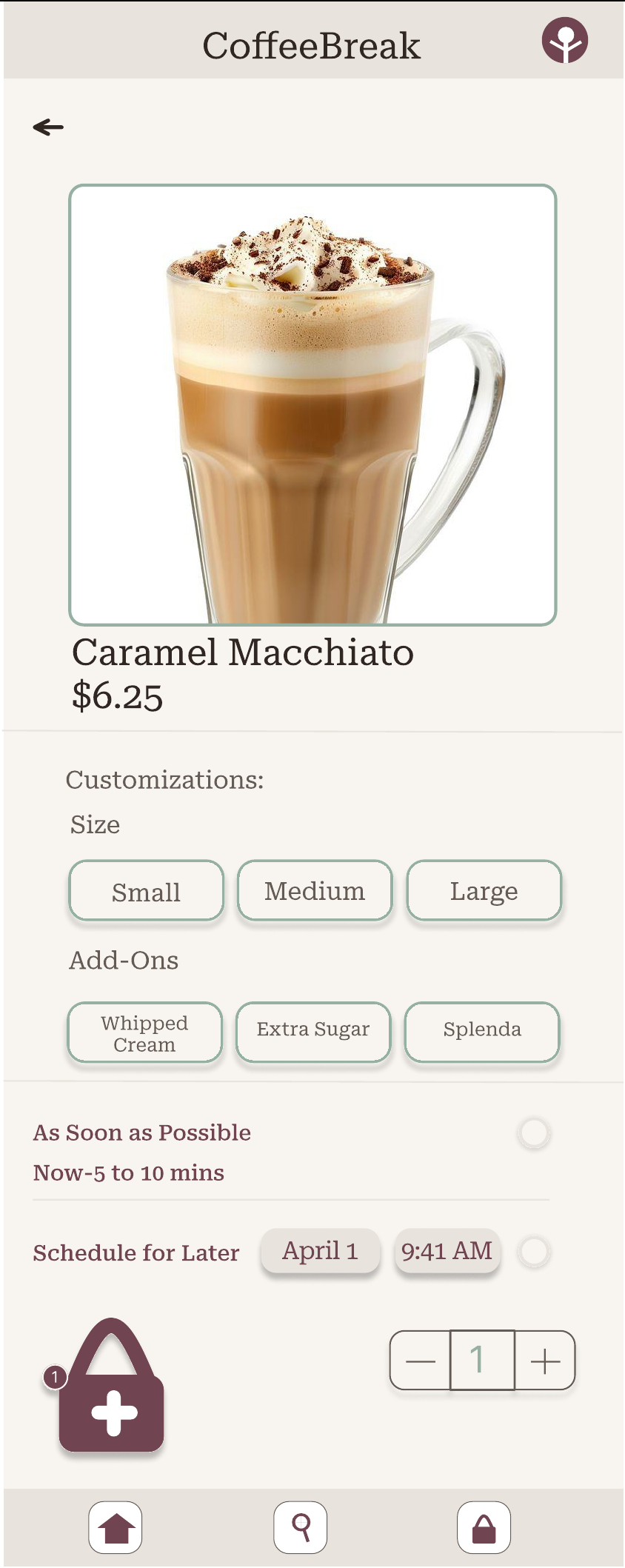
Customize
Size, add-ons, and pickup timing sit with the add-to-bag action.
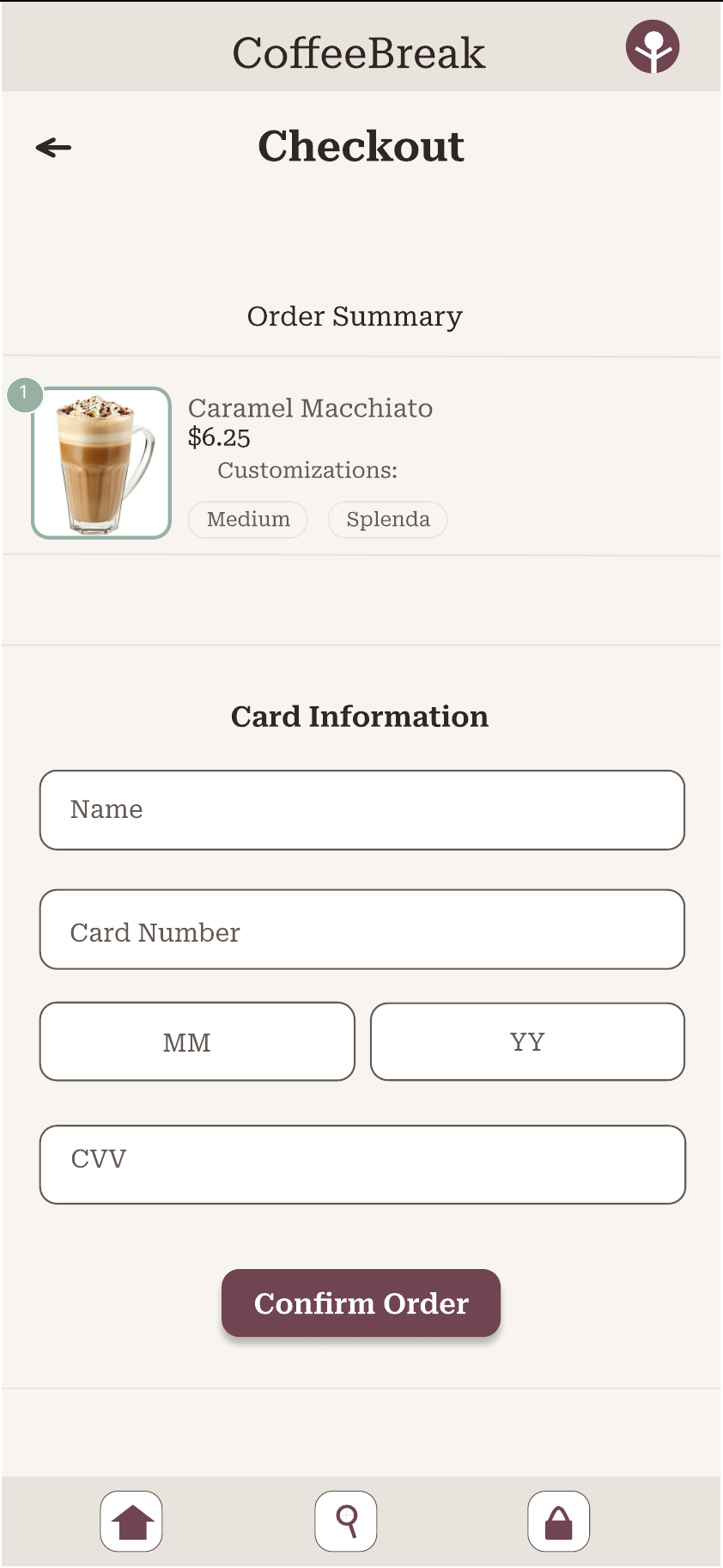
Check out
Order summary and payment on one screen.
Confirm
Order number for pickup, plus a way to cancel.
The next step is to test the revised experience.
This project helped me connect user observations to specific interface changes instead of treating design as a visual exercise alone. The next step is to test the revised high-fidelity prototype with more participants, check whether the menu and confirmation changes solve the issues observed, and refine the flow based on what I learn.